
《植物大战僵尸杂交版》中有许多小伙伴不知道怎么导入自己之前保存或下载的存档,下面是由“阿辰zc”为大家带来的《植物大战僵尸杂交版》存档转移方法,希望可以帮助到大家。
简化版:
1.复制路径到下图位置
C:\ProgramData\PopCap Games\PlantsVsZombies\pvzHE
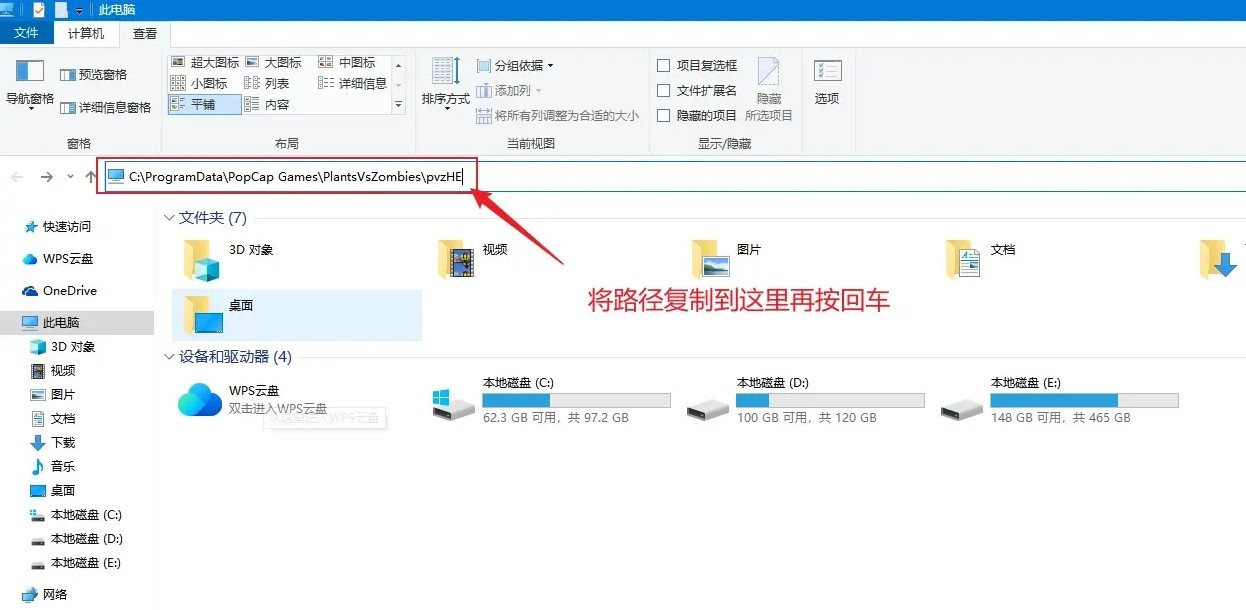
2.将下载保存/下载的存档拉进pvzHE文件夹中,点击替换即可
(如果原本的存档需要保存的可以将yourdata文件先复制一份出来)
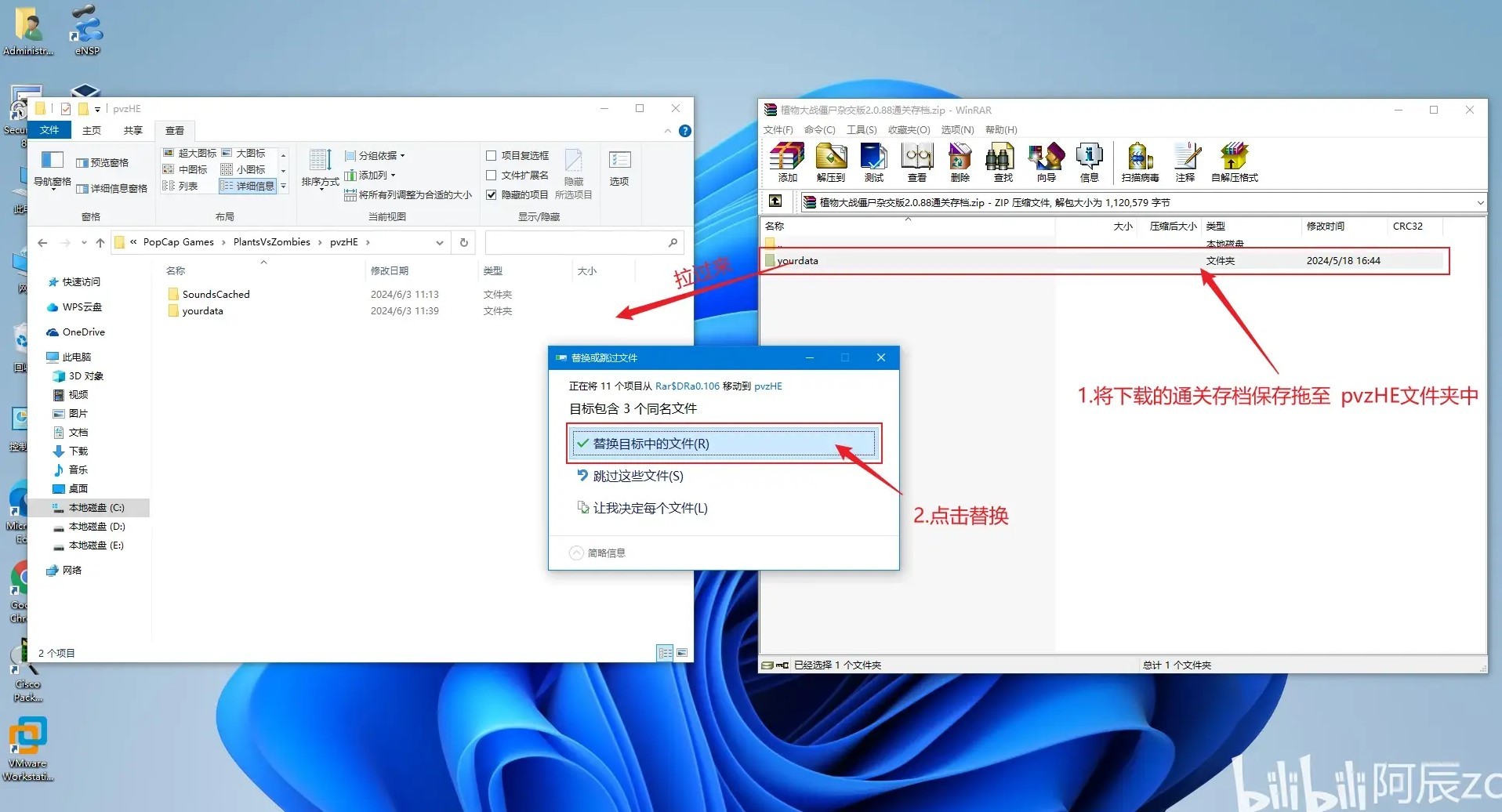
如果简化版不行请移步详细版本
详细版:
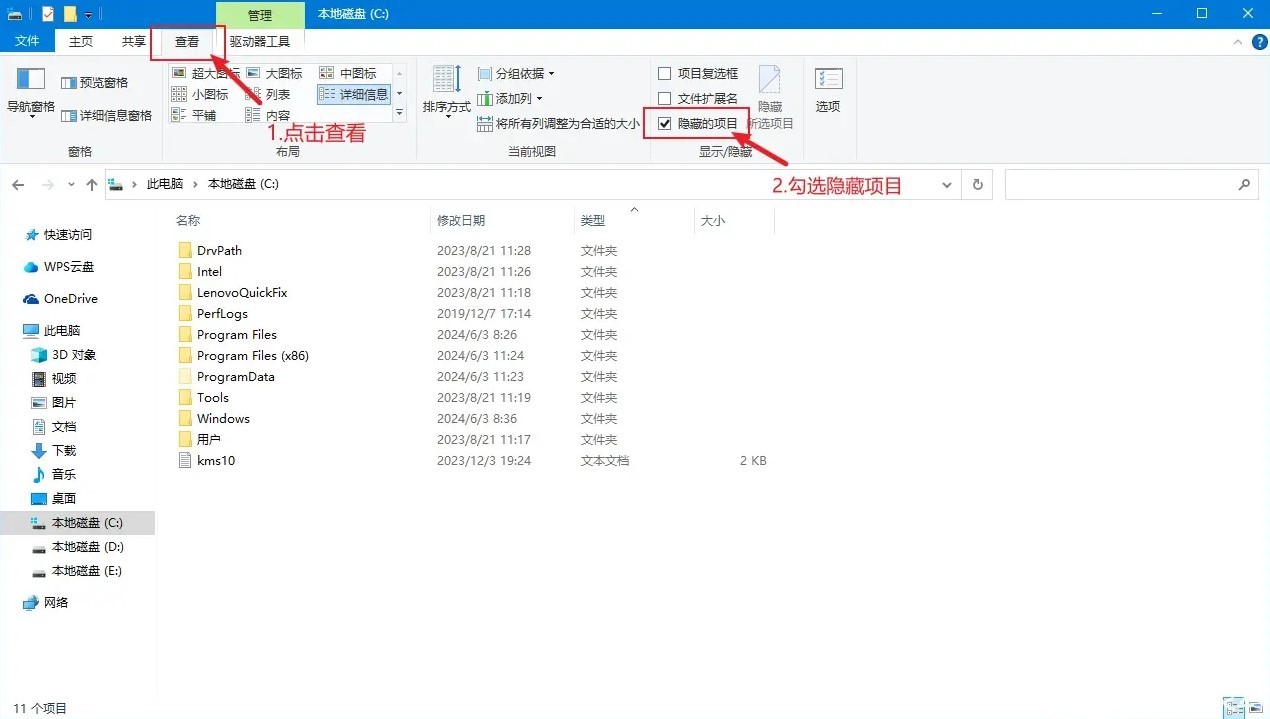
1.打开C盘—点击查看—勾选隐藏项目
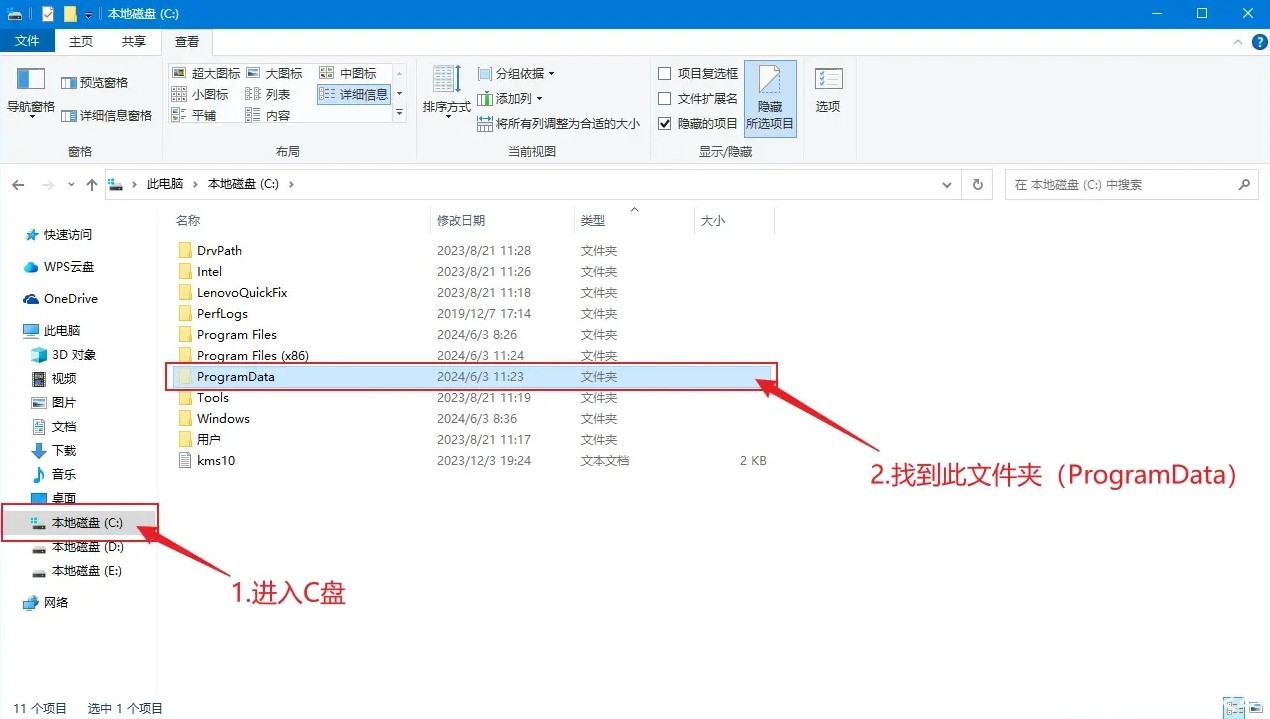
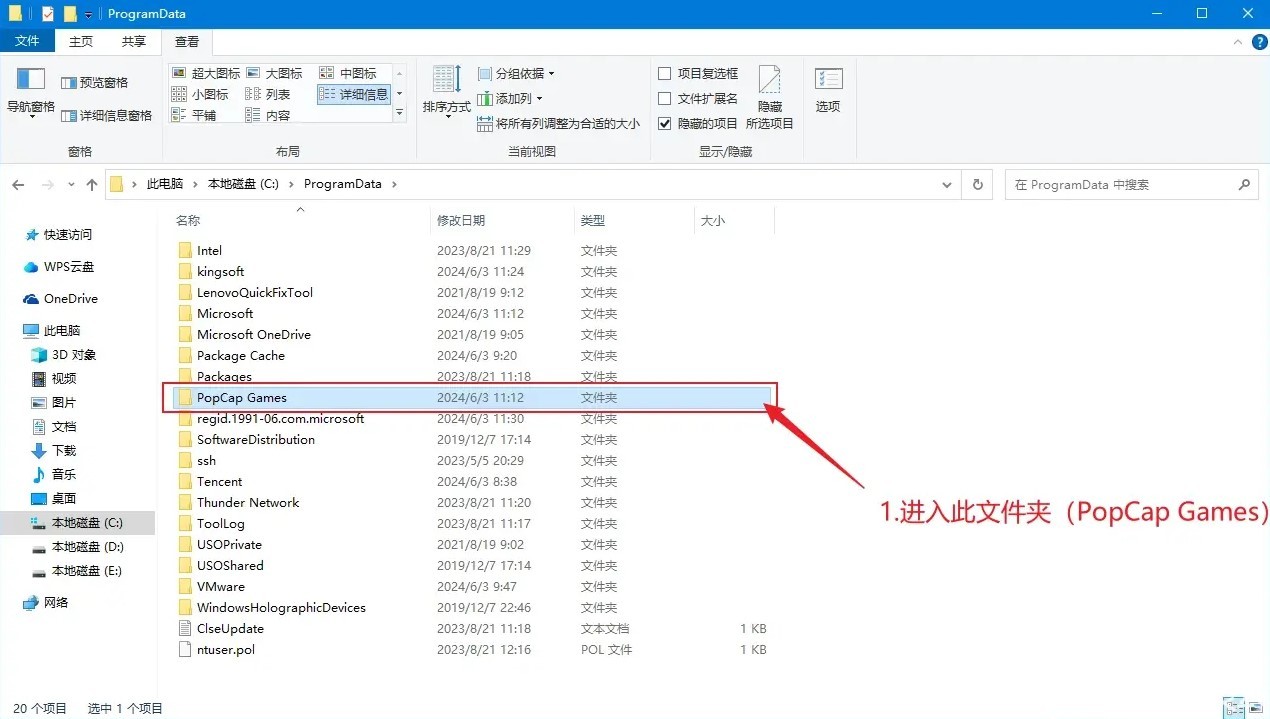
2.在C盘中找到ProgramData文件夹
(ps:不管是默认安装或自定义安装在别的位置都是在这个路径找)
3.找到PopCap Games 文件夹
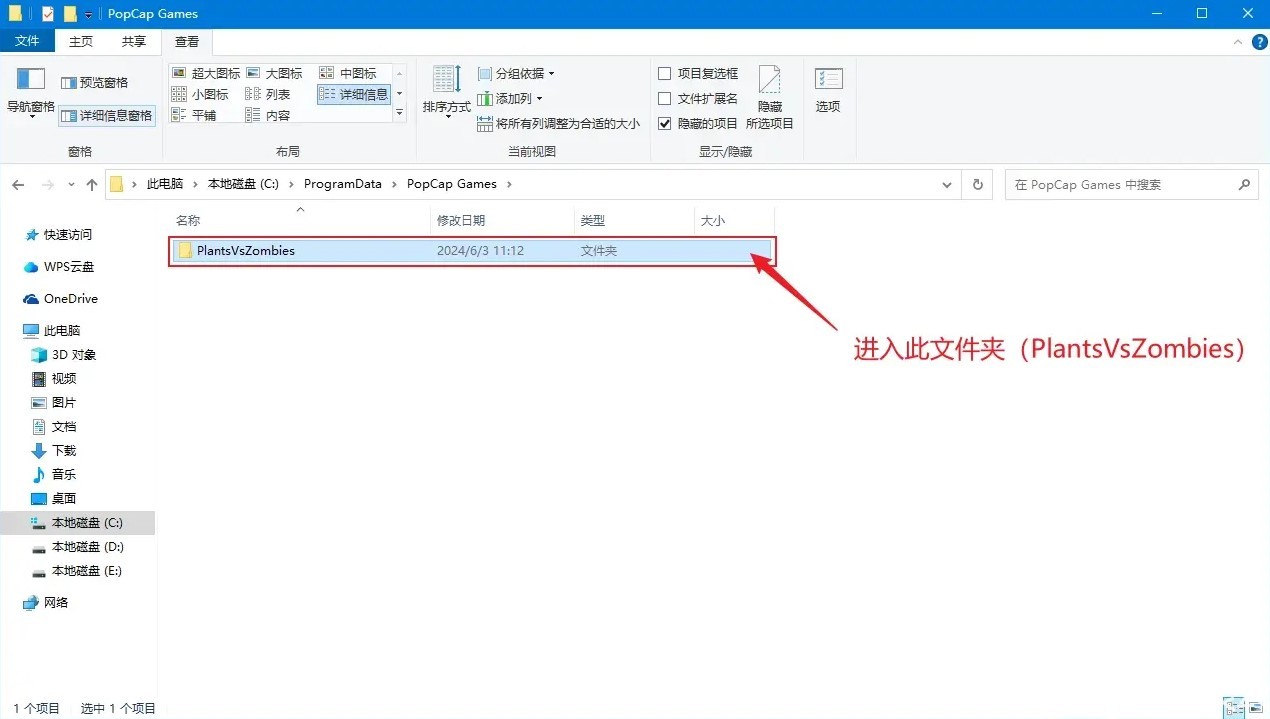
4.找到Plants VSZombies文件夹
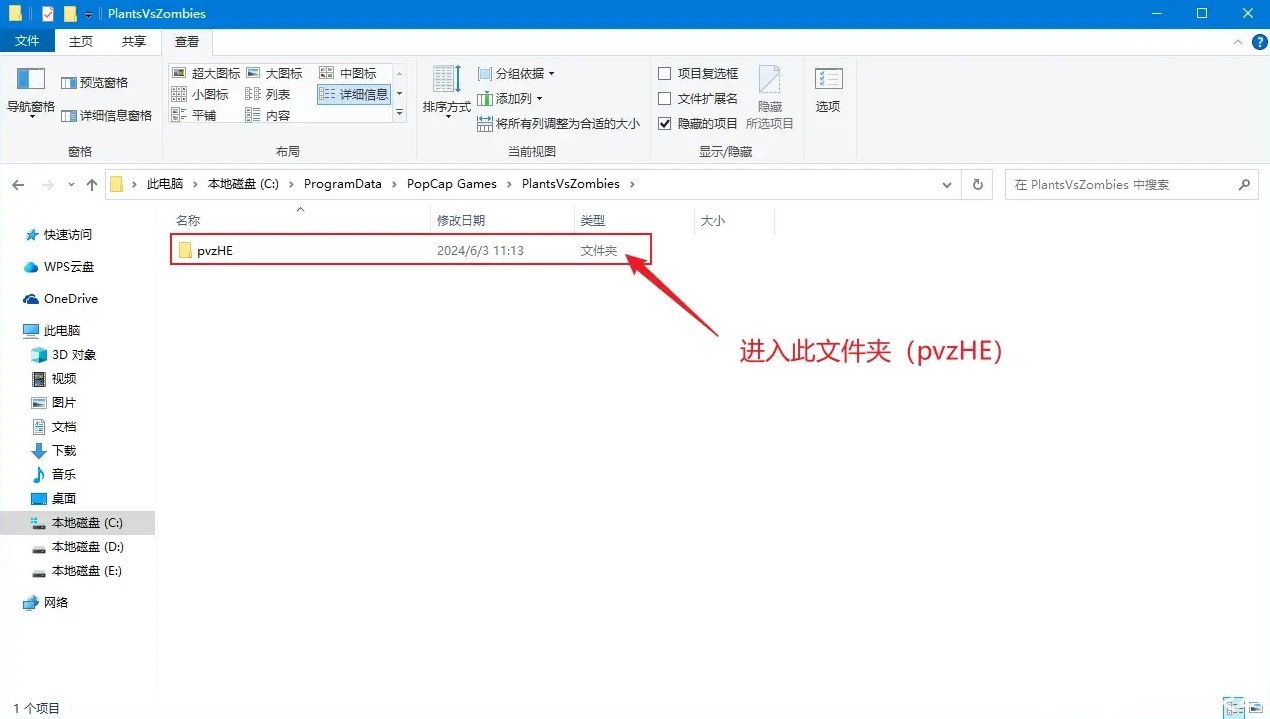
5.找到pvzHE文件夹
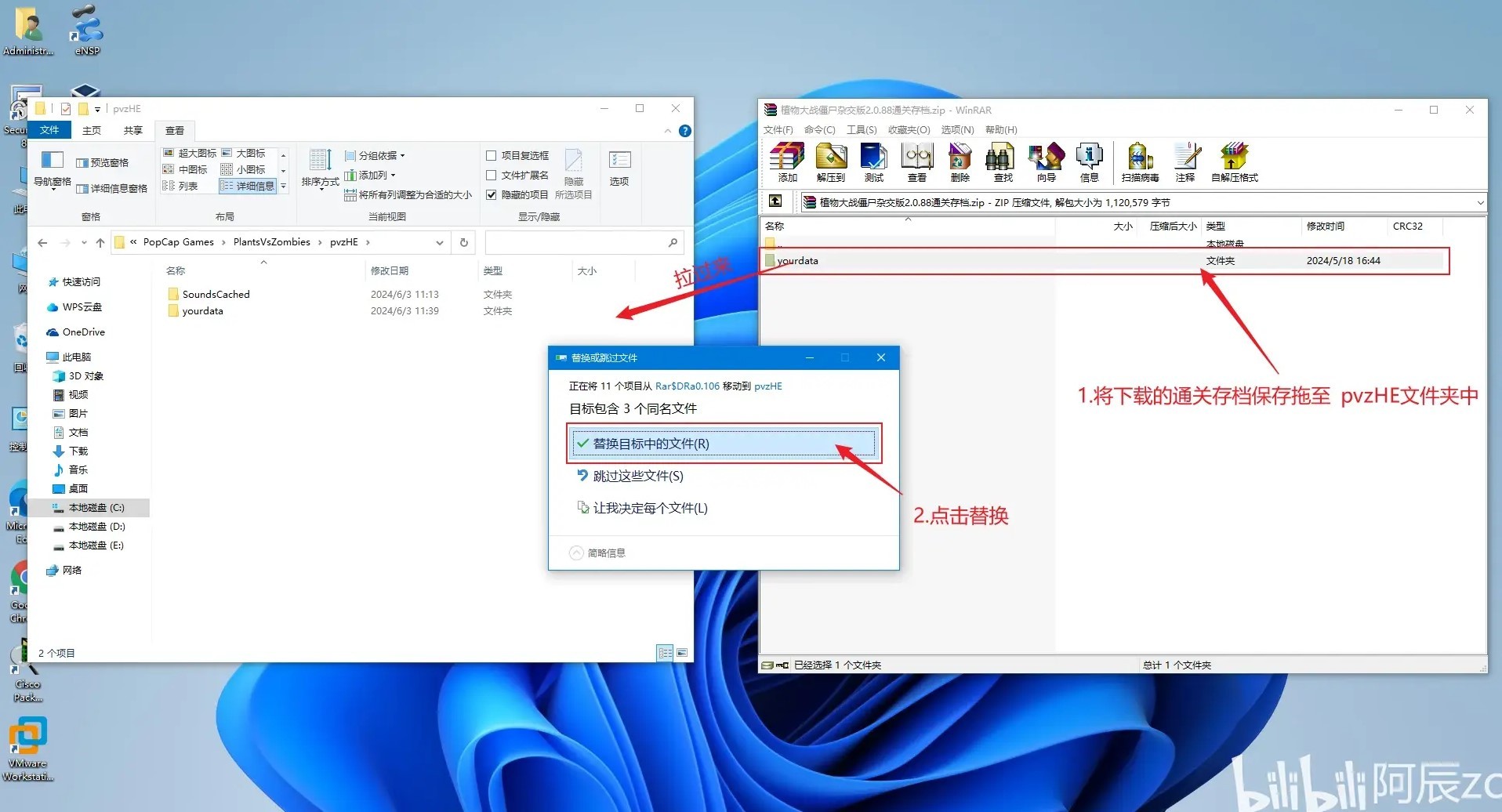
6.将下载保存/下载的存档拉进pvzHE文件夹中,点击替换即可
(如果原本的存档需要保存的可以将yourdata文件先复制一份出来)
Copyright
The copyright of the article belongs to the author, please do not reprint without permission.



Comments No comments yet
No comments yet
Add some experience, ask a question, or point out what's wrong — it all helps whoever reads this later. Not sure where to start? Pick one: